
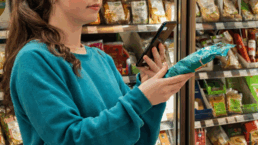
Which retailers are using scan and go mobile technology and how do you use it?
Mobile self-checkout — people use their own mobile phone to scan products and pay — is increasingly being used by retailers who are looking to create a great customer experience by offering their shoppers a choice in how they shop with multiple payment options, while balancing the cost of technology to see a return on their investment.
We’re taking a look at some of the well known Aussie stores that are early adopters of mobile self-checkout. This is one of the great parts of working at Booop and developing mobile technology — trying and testing our own tech and the tech that is available in retail stores! We have also listened to what users out there are saying and have broken it down for you looking at the following criteria:
- How it works
- How to use instructions and display in store
- Usability of tech/app

Woolworths
Scan&Go is advertised by Woolworths as: the faster, smarter way to shop
How it works
Download the Woolworths App, if you don’t already have one you will need to set up a Woolworths Account and enter personal information including your name, address, email, mobile and a payment method — it takes a few minutes with easy steps to follow.
Once you have the app open select the Scan&Go tab and Start Shop, you are ready to scan items and directly bag them into your own shopping bags.
Products by weight such as fruit and veg have specially labelled scales to weigh the fruit and display a barcode that you scan on your phone. Reduced items also have a barcode to scan at the reduced price.
The app displays a QR code on the screen when you have finished your shopping. The final step is to take your trolley or basket to the specially marked Scan&Go checkout and scan the QR code which opens the gate, allowing you to leave the store. One customer we spoke to said they felt quite reassured that there is a dedicated aisle to go through and that the gate opens as though to acknowledge that you have paid and you aren’t trying to run off without paying!
This is an interesting observation and one that any retailer looking to use this type of self checkout should put some thought into. For example, how do you make customers and staff feel confident and comfortable to use and manage this type of payment system? Clear signage, an app that displays proof of receipt and good staff training will be vital to this.
Overall using the app was easy to use, definitely saved time and it was great as no need to unload and reload the trolley at the checkout.
It is worth noting that random spot checks may occasionally happen, a member of staff will check approximately 5 items that have been purchased.
Instructions and signage
Walking into the store our Booop tester didn’t see any signage advertising the Scan&Go option. It didn’t feel as though it was being actively promoted, instead it was more reliant on already loyal customers who have the Woolworth's app, or for those who are actively seeking out alternative ways to pay.
The first signage we came across was in the fruit and veg section with clear instructions on how to place, weigh and scan the loose fruit or veg you are purchasing. Customers need to scan the barcode that the screen gives you when you place the item on the scales which is then added to your shop.
At the store's checkout area there is good, clear and distinctive signage for the Scan&Go checkout, it was easy to spot and gave clear instructions on how to proceed.
Tech/app
The instructions on the app were clear and easy to follow and intuitive to use.

Ikea
The Swedish retailer promotes this as: Skip the line and save time.
How it works
Shoppers need to download the IKEA app on their phone and create an account with their name, address, email, phone number etc., this takes a few minutes.
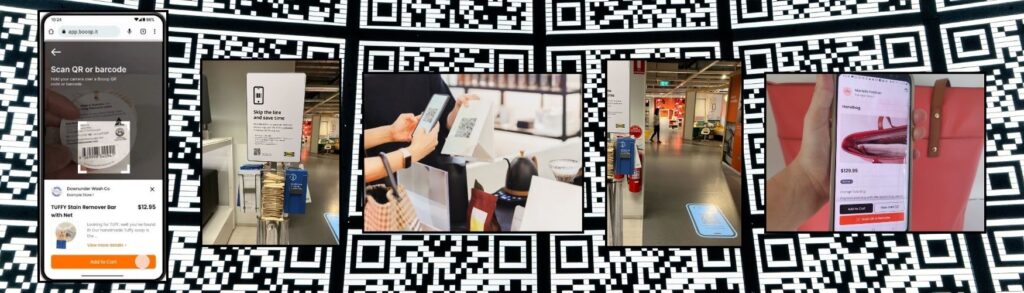
Open the app and activate the shop & go function for the store you are in: scan the QR code (you can find this displayed throughout the store)
Simply start shopping by scanning the barcode on the product, this gives product information and you can select to add to your bag. Place the product in your bag or shopping cart. It is easy to remove products if you decide not to purchase them
When you have finished shopping there is a unique QR code on your phone for your purchase, you can scan this at the signposted gate to enter the payment zone. The gate opens when you scan the QR code and you walk to one of the payment stations, at the time of our testing our tester paid for the goods and left the store with no further check required.
Scan the QR code again at the payment station, check your scanned products and it prompts payment with no need to remove the products from your bag or shopping cart. It prints a receipt for you.
Booop’s tip - try moving your camera further away from the barcode if it isn’t scanning straight away. Use the free Ikea wifi as had a much better and stable connection once on this.
Instructions and signage
As you walk into the branch Booop visited, there are floor stickers and pedestal signage with Skip the line and save time (where you can pick up the familiar Ikea pencils). Good clear and distinctive signage at the checkout which was easy to follow. The instructions in-store and on the app are clear and straightforward.
Tech/app
Easy and intuitive.

Bunnings
Bunnings say that their PowerPass App saves time in-store by paying in-app.
This is offered to business customers who have a PowerPass account, which offers a range of services including trade prices, dedicated trade support and the paying in-app.
How it works
Download the app and it prompts you to link it to your PowerPass account.
Scan the product barcode and add to your cart. You can search for products and it will tell you if it is in stock and which aisle to head to.
If you have issues with the barcode you can manually enter the item number.
To check out you click the Proceed to Checkout button on your screen. The payment method is linked to the PowerPass account (that has to be set up beforehand with customer payment details) these include: PowerPass Credit, credit card, PayPal etc.
When the purchase is complete as you exit the store you present the QR code on your eReceipt on your smartphone to the Bunnings' staff member who scans it on their device as you walk out.
Instructions and signage
In the store that Booop visited there was limited signage, the only signs noted were at an internal checkpoint targeted at trade businesses not general customers (not the main till points).
Tech/app
As our Booop tester did not have a PowerPass account we were unable to confirm how easy or intuitive the app is to use. Speaking to other customers in store they hadn't used this functionality yet, although they would be tempted to if the checkout queues were long, their hesitation was an unfamiliar process and being stopped when they were exiting the store.
7-Eleven
The 7-Eleven website promotes it as: Skip the queue with My 7-Eleven Pay & Go.
How it works
Download the app to pay for fuel using Fuel Up, or Shop in-store using the app to scan your products and check yourself out.
You need to register your details including your:
- Mobile number
- Payment card
- And you are also asked to take and upload a photo of yourself to help staff identify you.
It then took a few minutes to set up the account.
It was quick and easy to scan the items’ barcodes. However, when our tester tried to remove an item there didn’t seem to be an option to remove it, so they opted to cancel the transaction which was an easy process, and then they quickly rescanned the required items.
When we asked the petrol attendant working in-store about if you can remove an item, they were unfamiliar with the app and had only had people use it to pay for petrol. They wanted the items to be paid for via the cash register, but the mobile payment had already gone through, although nothing was showing on the app as proof that the transaction had gone through.
The attendant phoned a manager for advice, while our tester checked the email that had been registered to the My 7-Eleven app, an invoice had been sent to the email and the manager also confirmed that this is where to check for the receipt.
Instructions and signage
There was no signage at the store. It was fairly clear and straightforward to follow, although at the time of the visit we were unable to confirm if there was a way to remove an item from the basket without cancelling the whole transaction.
Tech/app
The app was easy to set up and use, there didn’t seem to be as much functionality as some of the other stores reviewed.

Kmart
Described as: The Kmart App is here! The free app makes shopping quick and easy, like having the whole store in the palm of your hand.
How it works
Currently you can’t purchase products on your mobile and walk out, but could this be where they are heading and what does the app currently offer?
- Digital receipts for in store purchases.
- Link to your flybys or OnePass card to collect points.
- Scan barcodes for more product info and price information. You can discover more about product features, availability, reviews etc.
- Wish list favourite products to store and come back to them.
In December 2020 Kmart partnered with a payment system, they put approximately 1,000 devices across 230 Kmart stores, with staff walking on the floor processing around 100,000 transactions during Dec 2020 to help ease queues during this busy seasonal period.
Another well known retailer, fashion giant Zara also offers customers who have downloaded the app the ability to scan barcodes and find out more about the item. Could they also be curious and about to dip their toe into the mobile payment checkout experience?
Booop’s insights
Overall the approach the stores seem to be favouring is a soft launch, by releasing and promoting to their loyal/repeat customers or early adopters of this payment technology. This does mean that they can refine the app, processes and signage to a more receptive and forgiving audience, before they roll it out to a broader market who may be less inclined or comfortable to adopt this type of tech.
When shoppers see other people skipping the queue, having scanned and bagged their own items — it can be a great promotional opportunity to encourage these customers to adopt the technology — or at the very least pique their curiosity.
Retailers that are able to keep up with trends by offering customers flexibility and a variety of options in how they shop and pay in-store will be able to cater for a much more diverse customer base improving the overall customer experience.
Related topics:


Preparing for a successful peak season in retail
Retailers are all too familiar with the challenge of managing checkout lines and ways to beat long queues that frustrate customers leading to abandoned carts and a loss in revenue. This is only exacerbated during busy times and seasonal peaks.
Most retailers spend months planning in advance for seasonal demand, planning their inventory, forecasting for uplifts in demand and planning how to maximise revenue while minimising markdowns. If retailers don’t keep up with stock and demand it can really hurt the customer experience and impact their loyalty to the brand.

How can retailers combat peak season demand and in-store queues?
Planning ahead and preparing staffing resources, including hiring seasonal staff and offering additional shifts to current staff is one way to ensure you are ready for the peak season as is forecasting short and long term demand for products and services.
Another way is to provide customers with a variety of options for how they shop. This can range from e-commerce sites, to click and collect. In store retailers can offer technology like ours which gives shoppers the ability to pay for items on their smartphone, relieving pressure on staff who are working on checkouts and freeing up staff to remain on the shop floor to assist shoppers and give exceptional customer service.
Easy set up and no terminals required, the only requirement is that the shopper has an internet connected device to access the Booop retailer tools. They simply scan the QR code or barcode, from here they can save the item, buy it or walk away. Retail staff can check the digital receipt — sent directly to the customer's phone — on their way out of the store or at a designated area in-store. Faster and more convenient for those customers that choose to pay using this method compared to standing in line with customers that select to pay by cash or pay at the checkout.
If you're looking for solutions to beat busy periods in your store, then speak to Booop today to discover how we can help to free up staff, boost sales and provide customers with a variety of payment options, contact us.

Is Artificial Intelligence the answer for retailers tackling rising theft in store?
Escalating business costs and supply chain issues are posing a significant challenge for Australian retailers, putting enormous pressure even on grocery giants Woolworths and Coles. Add to that the cost of living pressures on the average household, mean that consumers are reducing their discretionary spending to help with their surging living costs including housing, food, utilities and transport.
With this cost of living crisis government statistics show — and retailers are also reporting — a large increase in theft in store and in their supply chains. The National Retail Association in Australia reports that retail crime including shoplifting, robbery and vandalism can cost retailers up to $9 billion each year. There has also been a recent spike with assaults on retail workers and increased violent or aggressive behaviour. Retailers refer to the risk-reward ratio for retail crime, with many thefts going unreported, retailers comment on not finding it easy to report, solve or prevent crime in stores, and police resources are stretched with prosecution rates for retail theft being relatively low.
AI is frequently hitting the headlines and with the incredible technological advancements there is much discussion around the vulnerabilities and challenges of managing and fully comprehending the consequences of AIs capabilities. For retailers who are faced with such challenging operating conditions — could AI offer them a fighting chance to combat the big issue of loss and theft?
What are leading and innovative retailers turning to help them survive the next big challenge since COVID?
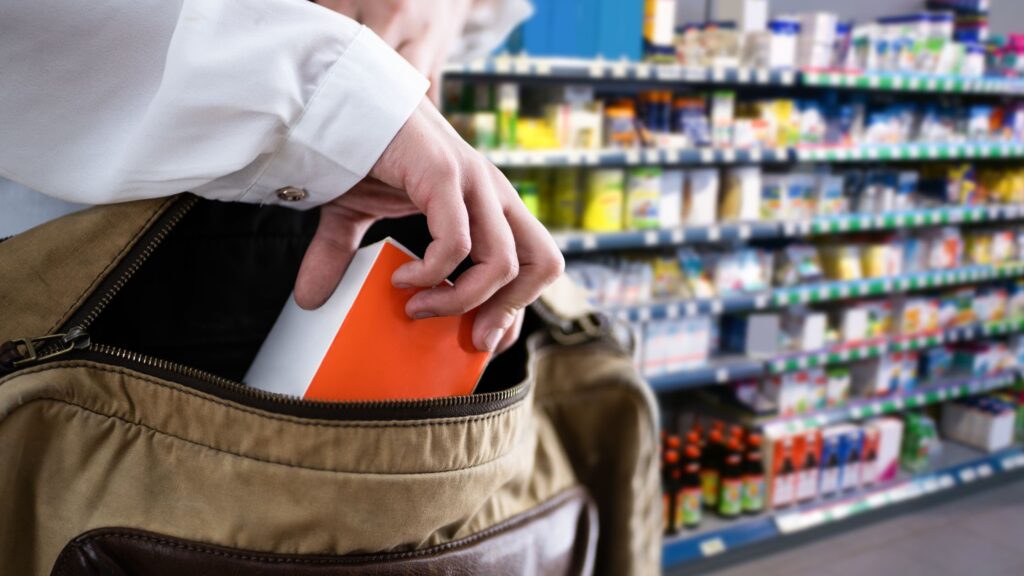
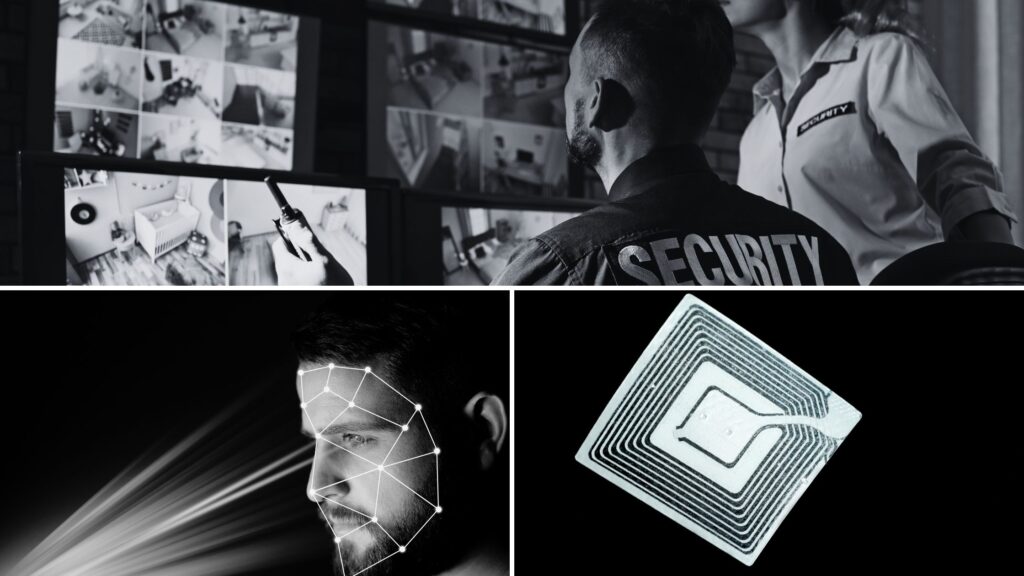
Retailers are now using facial recognition technology to identify shoplifters entering their stores
Advancing internet-connected camera technology is now harnessing AI to analyse metadata from video images captured by cameras installed in some retail stores. The AI facial recognition system connects to a database of known shoplifters, so when customers enter a store that is using this technology their facial biometrics can be recognised with the camera capturing a picture and comparing the biometrics stored on the secure database. If the person entering the store is found in the database the relevant store staff receive a notification on their linked device alerting them. They can then notify shop floor staff and/or security to watch the person and decide whether to intercede.
Analytic software is being used in video monitoring
CCTV and video monitoring in public spaces is so commonplace that people have come to expect cameras in shops, restaurants and on the street. Advances in video monitoring mean that now not only do some cameras simply record footage, but they also have the capability to monitor and recognise suspicious behaviour.
The metadata in the analytic software means that the camera can operate in a similar way to how the human eye transmits information to the brain. The camera has the same ability to analyse images and detect questionable behaviour, such as concealing items. It can even activate a warning over a speaker and/or use lights, for example, in a car park to scare a potential thief before they have even committed a theft or criminal act. Prevention of theft is a tool that has the potential to save retailers huge amounts in lost time and revenue!
Auror is a surveillance platform that is widely used by Australian retailers including Bunnings, who have recently started displaying new signage outside of their stores to inform customers that facial and number plate recognition may be used. This has raised concerns and sparked a debate about privacy issues and how information is collected, shared and stored. Auror has responded to these concerns and says that while AI data matching is used there is always a human reviewing it.
Radio frequency identification (RFID) tags
RFID tags are wireless tracking systems that use radio frequency to identify, track and communicate with objects that are tagged. They can store information including serial numbers and descriptions. Retailers are using a new RFID soft tag that has an embedded sensor which is only deactivated at checkout. These tags are not detectable to consumers and so a stolen item can be tracked to help to retrieve the object and prosecute perpetrators.
In the US a home improvement store, Lowe’s is using this kind of technology. Their power tools were a target for thieves and through an initiative called Project Unlock a unique ID is given to each power tool. When they are purchased the RFID system activates the power tool so that it can be used. The purchase is recorded to a public blockchain network (this is a database that allows information sharing with a business network). If a power tool is stolen it won’t be activated to work and if someone attempts to sell it on, it won’t be registered on the blockchain so will indicate that it could be stolen or that the status is unknown, which brings its authenticity into question.
Theft prevention
Investing and implementing in theft prevention like these can certainly help to significantly reduce theft and loss in stores. It does also open up questions on ethics and privacy and the reliability of AI, for example what happens if facial recognition mistakenly identifies someone? When implementation happens too quickly privacy and legal issues can arise, but if implemented well with due process — and when it is ultimately controlled and reviewed by humans — could it offer retailers a solution by preventing theft in the first instance and able to show that a person hasn’t just been caught once as it has the capability to show multiple incidents.
We understand that the payment process is hugely important to retailers, but that it only makes up a part of the overall process and challenges that they are managing. That’s why Booop works closely to support our retailers to address the challenges they are facing and find solutions via our technology and their current processes.
Discover Booop
Next generation technology for retailers and shoppers
We are on a mission to help Aussie retailers grow revenue, and increase customer satisfaction, engagement and loyalty. Booop allows shoppers to discover products, checkout, and pay on their smartphone, saving retail staff time and catching customers after they leave a store.
At Booop, we believe simplicity is key — a world where multiple software, terminals, and hardware are no longer required. We strive to create simple but powerful, well-designed technology that does what it needs to do, and leaves new and growing retail businesses with more time to connect with their customers.
For shoppers, we want to improve the retail experience: seamless checkout, self-service, and more information available in-store so shoppers can make decisions based on what matters to them most.
The story behind Booop
We started Booop back in December 2021 in the midst of an infamous Melbourne lockdown! Alena Wang, one of our Founders, found herself working from home, homeschooling, while her husband was overseas for work and unable to get back home to her and their two young children.
One particular day during this period Alena found herself on a mission to get flu medication for two cranky kids when she found herself stuck in a long snaking queue at a local pharmacy. Waiting for over 30 minutes and increasingly frustrated she found herself wondering — surely we can do better than this?!
As long-time friends, Alena and Sunny set out to build a company that solves the pain points of retail and transforms the traditional shopping experience. Booop is using technology to merge physical and digital retail, making shopping more convenient and enjoyable for shoppers, and at the same time improving sales and increasing operational efficiency for retailers.
Meet our founders

Alena Wang
Alena is the creative mind behind Booop who thrives on building connections with people and solving challenges they encounter. Having worked in banking for over a decade she has spent time listening to customers and experienced first-hand how developing innovative technology solutions based on customer needs can not only change business operations for the better but really change lives and open up new opportunities for businesses to grow.
Alena is a qualified chartered accountant and holds a bachelor of commerce from the University of Melbourne. Alena has held various leadership roles across both banking and professional services industries in corporate risk advisory, compliance, technology, procurement and product development. She is known for building high performing teams, and is passionate about start-ups, retail and all things technology innovation.
Sunny Yu
Sunny has a passion for building successful businesses. With a diverse background across technology, finance and law, Sunny has led companies including investment and advisory firm Hatchstone Capital and fintech crowdfunding platform VentureCrowd. Sunny is passionate about helping retailers to improve sales and increase operational efficiency, while transforming the shopping experience for customers with technology.
Sunny is a qualified lawyer in Australia and a graduate member of Australian Institute of Company Directors (AICD). He holds a joint honors degree of engineering and law from the University of Melbourne, as well as a master of finance degree from Institut Européen d’Administration des Affaires (INSEAD). Prior to Booop, Sunny was an investment banking professional at Macquarie Capital and a fund manager at AMP Capital.
We’re at the beginning of our journey, and we’d love to have you along for the ride! If you’d like to find out more about Booop visit our website or contact us.

Increase the time customers stay in your store and boost your revenue
Whether it’s a giant superstore, international chain or local independent retailer, you want your customer to enjoy their experience in your store and encourage them to spend time browsing your products, not just the one they came in for.
Think of your favourite store. Is it solely the product that makes you love spending time there? Or do you enjoy the store layout and decor too? Emotion plays a big part in our shopping behaviour and in-store retailers have the added advantage of being able to create more opportunities to impulse buy with a great and immersive shopping experience to inspire and emotionally connect with shoppers, keeping them in store for longer browsing for other products.
Let’s explore the ways to create a positive environment that can increase the time spent in-store affecting more sales conversions.
Optimise the layout and design of your store
The layout is the path that takes shoppers through the store guiding them and showcasing the merchandise. Customers want a clear path to easily find what they are looking for, picture most stores when you enter — the front acts as a decompression zone, empty or clear, helping customers transition into the store and inviting them to explore more.
Retailers need to balance making products easy to find while encouraging customers to view and discover more products — creating an immersive shopping experience to inspire and find new ideas and products is one way that retailers can increase the time spent and boost revenue.
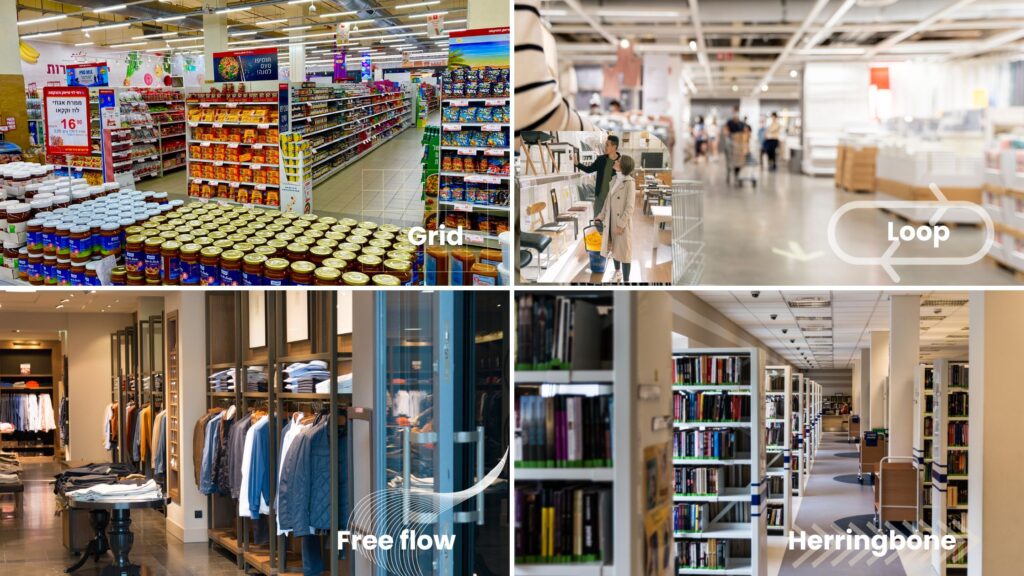
Typical types of store layouts include:
- Grid - long rectangular aisles easy to navigate and popular with pharmacies and supermarkets.
- Loop, or racetrack - controls the flow of customers and forces them to walk past all products before they exit, think Ikea!
- Free-flow - while this can give retailers a chance to channel their flair for creativity and allows customers to move around freely, creating unique displays for products, it can also become confusing if ill designed and so retailers need to consider clear signage and common behavioural trends of shoppers.
- Herringbone - similar to the grid layout, for small and narrow spaces, local book stores and hardware stores often use this layout. (May need investment in cameras as not all areas are clearly visible).
Branding, design and ambience
The design and ambience should reflect your brand and create an inviting atmosphere to enhance the shoppers experience. The last thing they want is a cluttered shop floor where items are difficult to find and the signage is confusing or non-existent.
Lighting and music have a big impact on the aesthetics of a business. They also have a powerful effect on our psychology and can change our moods and behaviour.
The lighting in a store helps to enhance the features of a product and there are different types to consider these include: task lighting to enable staff and customers to carry out necessary tasks and concentrate. Ambient lighting is the main lighting in the store which sets the tone and brand identity. Accent lighting helps to pick out particular products and displays to attract the customer and draw attention to them. Decorative lighting to add ambience and enhance the design of the store, this can also affect the moods and behaviour of customers.
Music (just like scents) has a powerful effect on our psychology and can change our moods and behaviour. Research has found that musical choices in store can produce specific buying behaviour. Slow music encourages people to stay and browse, faster music leads to people moving through the store faster. Familiar music encourages people to move quickly.
Tailor music to your brand e.g. high-end browsing, lower tempo. If retail is more dependent on a high customer turnover they will play music with a faster tempo and more familiar or current music. Familiar music can make people feel as though they have spent less time in the queue!

Staff are crucial to the customer experience
It is vital to spend time training staff from when they come onboard and throughout their employment. They reflect your brand and need to be experts and knowledgeable about the products, services and processes you provide. Staff should always be up-to-date and feel empowered to answer questions and solve problems in order to provide excellent customer service.
As shoppers we have all been approached as soon as we walk through the door with “Can I help you?” But is this the most effective way? How many times do we immediately reply with something along the lines of, “No thanks, I’m just browsing” ending the conversation.
Acknowledging a customer when they first enter the store is a great first impression, without making them feel ignored or jumped on. Don’t be afraid to follow up once they have started browsing from: “How’s your day going?”, “Who are we shopping for today?” to, “I love this new stock that arrived today, what do you think? It would be great to get your feedback”.
Nurture relationships with repeat customers and actively listen to them. Train staff on cross promotion, how to identify products that complement each other to show shoppers. Customers value personalisation, so consider implementing customer loyalty programs and special events that will also alert sales staff to customers preferences so that they can alert them to promotions.
Can tech help retail staff spend more time with customers?
Rising wholesale prices and staff shortages are just some of the challenges retailers are working to overcome. One solution that is increasingly being used is the introduction of new technology in stores, these include:
- Automation - one example is automating stock and inventory management to free up staff time from these types of tasks. Retailers are able to scan and search for products, update and review information, and have up-to-date stock counts. They can receive notifications and run reports for insights into stock levels knowing how fast products are selling and when to reorder them.
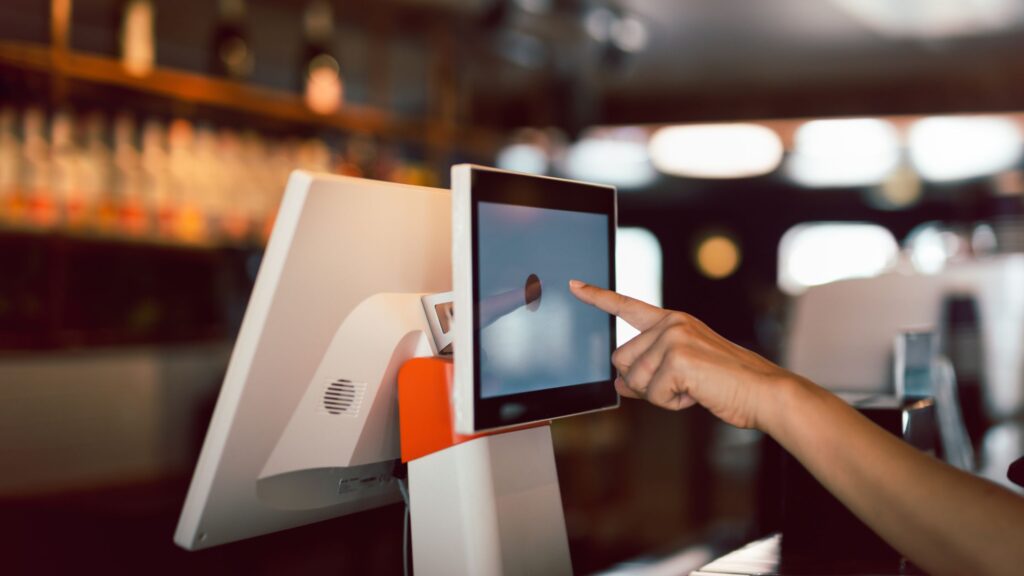
- Portable POS terminals - staff on the shop floor are on hand to answer questions about products including stock availability and can take payments, easing queues at the checkout.
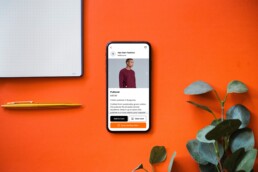
- QR and barcodes on products and shelves is an accelerating trend that many retailers can use to provide customers browsing in store more information about a product direct to their phone. This trend is most common in the hospitality industry, with QR code menus on tables giving customers the option to order food and drinks via their mobile phone. Booop’s technology works in this way to help customers to discover more information about a product and to even purchase it directly via their phone with Booop & Go™.
Retailers that are adopting technology and automated processes in their stores are providing their customers with a hybrid shopping experience that combines physical stores face-to-face interaction with the efficiency of e-commerce. Shoppers get a seamless and personalised shopping experience. By providing tech systems in-store retailers can relieve pressure on their sales assistants, and empower customers to find out more about products they stock without having the all too common frustration of seeking out and waiting for a customer service representative to become available.

Booop's top tips for company websites
As we are on our journey at Booop we want to share our learning along the way. One of the things we have found while making connections with retailers and businesses in and around Melbourne, is the supportive and collaborative community and our many shared experiences of starting a company. Our team share what they have learnt and discovered about creating Booop's website.
What does your website say about you?
Your website is your opportunity for you to make a positive (and often first) impression on visitors. This is where they will learn about your business and it is an opportunity for you to build a following and trust in your brand.
Depending on your budget and the stage of your organisation’s journey, will determine whether you are creating the website from scratch — either independently or with an external web design company, or perhaps you’re at the stage of updating your website.
You can build a more basic website with a template design and a web content management system (CMS) to edit your site. If your website is more complex then you will more likely require a professional to help build it. Remember to reach out to your networks and ask for their recommendations and experiences!
Our tips for what to consider when creating and maintaining your website
- Create and define your digital strategy for your business, including short and long term goals, you will want to have a road map for the future and ensure that your website can grow with your business.
- Type of website - focus on what you want the website to do and the type of information it will have. For example, will you be using it to sell products or services online? Then you will need an e-commerce website. Will the website be for returning customers? Consider featuring regular blogs, articles and useful resources. Will your website need to host a range of content from copy, videos, blog to selling a product/service?
- Build your brand identity and ensure it is consistent across all of your platforms from your website, social media to internal and external documents. Your content from images to the writing should reflect the personality (the brand) of your company. Share your story in an ‘About us’ page, people want to know who you are and feel connected, it helps to build authenticity, trust and a loyal following.
- Have a clear hierarchy of content and messaging. Keep it clean, simple and uncluttered and easy navigation, make it as intuitive as you can. Accessibility and usability is vital for all users.
- Make sure it is device friendly for all platforms. Always check how each page previews on mobiles, tablets and desktops.
- Provide a clear call-to-action (CTA) on your website and each web page. These include: lead generation (blog, articles, resources etc.), form submission, read more, product or service discovery, and social sharing — these are just some to consider.
- Integrate with your social media channels, at the very least have them in your footer.
- Load speeding. How long does it take to load your website? People are impatient and won’t wait long, especially for a new website that is unknown to them.
- Invest as much as you can in your product (or services) photos and videos. The internet is a highly visual medium and this really increases sales.
- Show testimonials as soon as you can.
- Optimise the website for search engines. Check your competitors websites and use information provided by search engine providers, for example Google starter guide
- Test all your web links and contact forms.
- Review your website content (at least each quarter). As your business grows things will change and you need your website to have the most up-to-date information.
- If you can add interactive elements such as live demo animations, click through pages rather than scroll, let users highlight areas, hide and reveal information via clicks and rollovers. Interactivity can increase engagement and help them to remember the content, it also keeps people on the web page for longer.
Whether you are creating a website from scratch or updating your current content, look around for inspiration, there are 1.13 billion websites out there! What do you like about a website and what frustrates you? Always remember that your website is likely to be the first interaction a person has with your business. What do you want their first and lasting impression to be?

Finding your first retail store's location
What should a growing e-commerce retailer consider when they are looking for their first bricks and mortar store?
Your e-commerce store is thriving and you have a well established online customer following. You have successfully tested physical locations to sell your products, perhaps a:
- Market
- Pop-up store
- Shelf-rental space
- Home-based
Now you are seriously considering a permanent bricks and mortar store. So what are the next steps and how do you select the right location?
Don’t assume that a busy location equals the right location, you could end up lost in the crowd and paying a premium to be there. Instead focus on your customers and ask yourself who are they? What are their behaviours offline and where do they go?
Customer: Location. Demographics. Psychographics.
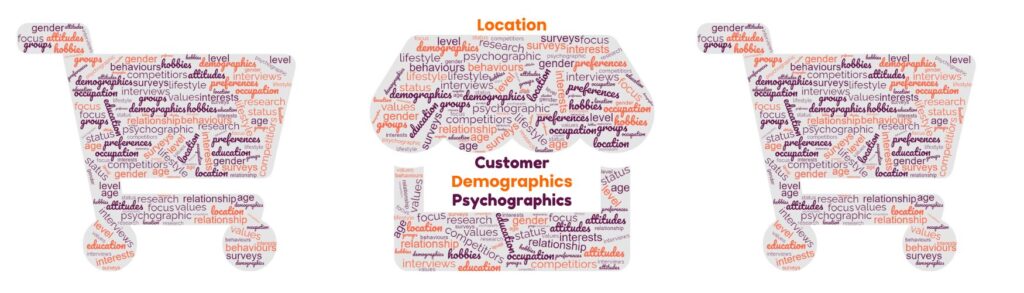
How well do you know your online customer? You have presumably built a customer profile and researched relevant keywords and phrases, searching competitors websites that appear prominently on search engines to learn from their design and content. You’ve spent time researching the social media landscape and which are the best platforms for reaching your audience.
From this research, have you identified where your customers frequent in the real world? If you have this information already—then great, you can start to use this to find the best location for your store.
If not then it is a great time to start researching where your customers like to spend their time using your online channels. For example, if you have a customer database, you can reach out to your online customers to form a focus group and gain insights into their real world habits and hangouts.
Try running polls via social media and join online communities that your customers use. Don’t be shy to speak to customers directly — starting conversations with your online customers is a great way to understand and engage with them, helping to build brand awareness of your business and your interest in a physical store.
Research your competitors and find out which ones have stores and where these are located. There are very few stores that thrive in isolation, but you will want to select a location that isn’t already saturated or that clashes with your type of market. Finding a location with businesses that complement yours is a good strategy, for example, if you sell high end fashion for women are there similar stores nearby— a high end shoe store, beauty salon or hairdresser?
Will your online customers be the same as your in-store customers?
Online customers tend to be specifically seeking you (or at least your product) out, rather than general browsing. They have used keywords to search for and find you. They tend to be more price driven, having found the product they want for the best price.
Many retailers report that their in-store customers are more loyal than online customers and that they have more opportunity to build a relationship and connect with them, often meaning that they will value service and advice over price (of course this is within reason!).
While your online customers are certain to want to visit for an in-store experience and the opportunities that will provide (e.g. to test and see products in person), a physical store can attract new customers who are in the area for another purpose; perhaps they are killing time between appointments or shopping for something else altogether.
Attractive window displays and signage are vital as they will draw people into a store and once in-store they are much more likely to make an impulse buy compared to when they are shopping online.
People buy through different channels and increasingly are using multiple channels to purchase products and services. Whether a retailer is looking to set up their first physical store or go online they always need to have their customer journey in mind, providing them with a seamless shopping experience whether it is online or offline—think one brand, one unified shopping experience.

Broadening your customer base with online and in-store experiences
Take an example of a jewellery and accessory gift store. Let’s say their typical customer is female in the 30-55 age bracket, who enjoy browsing in-store and attending in-store events for face-to-face engagement, where they can find out more about the brands stocked, the designers and so on.
That loyal in-store customer generates an online customer, their partner (or other family/friend), who are gift buying and want to buy from a trusted brand that they know that person likes and recognises. They want speed and convenience to discreetly purchase a product and are not interested in the special browsing events that the in-store customer enjoys.
Adding value for customers and personalising their shopping experience whatever channel they use will give any retailer an edge over competitors. Mapping out the ideal customer journey helps retailers to build a more personalised experience across all their shopping channels, understanding how their customer demographic can change between these channels and where the touchpoints are between themselves and their customers before a purchase is made.
Location, location, location!
Finding the right location for your first store is a huge step and so taking the time to research where your customers frequent is an important first step in helping you on your journey to becoming a bricks and mortar retailer.

Retail checkout trends
Customer experience is fundamental to the retail checkout process. There has been a dramatic shift in consumer behaviour since the pandemic, and retailers are having to adapt quickly to meet customer expectations in order to succeed and remain relevant. As a result of this we have seen large retailers invest heavily in customer experiential shopping instore, with multiple check-out options provided to shoppers.
Queue busting technology and providing a seamless shopping experience
Whether you love it or hate it, self-checkout has been around for decades and is on the rise and taking many new and innovative forms.
Self-checkout highlights how technology has transformed the payment process for instore shopping. This technology has been accelerated by the global pandemic and the desire for contactless purchasing. ResearchAndMarkets.com forecasts that in this changed landscape the global market for self-checkout systems estimated at US$3.7 billion in the year 2022 is projected to reach US$9.3 billion by 2030, a significant increase in investment by retailers.
Self-checkout systems
There are a multitude of options for self service checkouts, that enable customers to checkout without an assistant. They all come with their pros and cons for both the retailer and the customer. Types of self-checkout systems include:
1. Express self-checkout counters and kiosk systems or grab and scan
2. Mobile scanners and carts
3. Self-checkout sensors and AI
4. Mobile scan and go self checkout app.
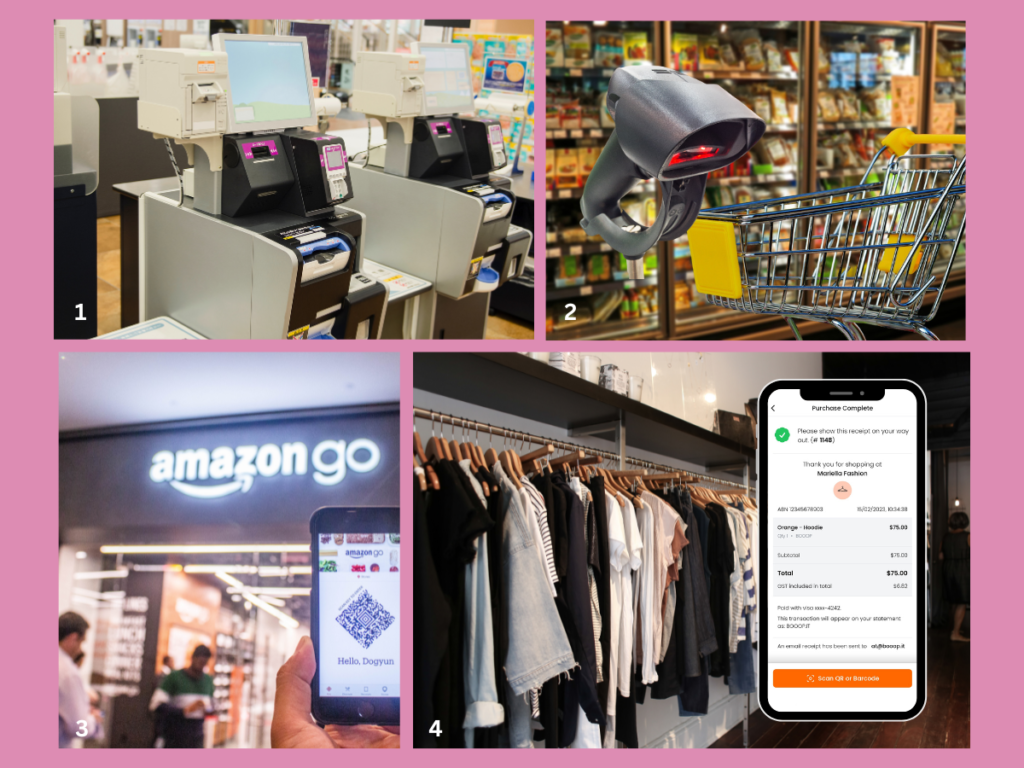
As retailers invest in self-checkout technologies from the very familiar self-checkout kiosks, which enables customers to scan items and checkout themselves, through to sophisticated autonomous checkout systems, which use computer vision technology allowing shoppers to walk in and walk out completely cashierless.
But some of the leading innovations in self-checkout technology are not simply about offering customers’ an alternative payment system, they are so much more…

So what are the current trends and who are some of the leading innovators?
Amazon
- Amazon Style - This is a physical clothing store with touchscreens and QR codes. Using the Amazon Shopping app customers can scan QR codes to see more details, including sizes, colours, and customer ratings of the products. Customers can scan an item and only need to pick it up at the end of their browsing. They can also send items they like to a fitting room.
- Amazon Go - These convenience stores have been opening in the US and the UK (where it’s known as Amazon Fresh). Using the Amazon app, when you walk into the store, you pick out what you want (no scanning) and simply walk out when you’re done. The app charges you for the products you have picked out as you leave the store. Amazon calls it: “Just walk out technology”.
Amazon Go is experimenting with these stores to find the right format and one that differentiates from competitors and appeals to the customer. It has recently reported the closure of some of these stores, highlighting the complexity of balancing technology and the retail experience.
Nike
The Nike App is designed to connect the world of tech with instore physical retail, transforming the customer’s phone into their ultimate shopping companion. The app enhances the shopping experience offering triggered rewards, unlocking access to exclusive promotions or special offers and Nike Scan, while browsing in the store you scan barcodes and unlock information about these items. Customers receive product recommendations based on what they love, plus fast and secure checkout.
When they launched the 68,000 feet Nike House of Innovation store on Fifth Avenue, New York, it was designed to be as personal and responsive as a digital experience but immersive and with a human connection. This store and other HOI locations including Shanghai and Paris, work with the Nike App to offer even more choices through your phone.
Mr Yum
Melbourne based mobile food ordering and payments platform. After scanning a QR code on their table, customers are able browse through the visually pleasing menu, see a description of the dish and order from their phones. This eliminates administrative tasks such as writing orders down, processing payments and splitting bills.
As of April 2023, Mr Yum venues have seen a spend per head increase by 33%, acquire 3x guest data, and benefit from 41% more return visits. The power of a simple ‘scan’ unlocks a new customer experience, which has provided restaurant owners with a new form of engagement with their customers.

As a retailer what type of payment checkouts should you invest in?
With consumer mobile usage behaviour changing, mobile-checkout is transforming the physical in-store shopping experience. Mobile check-out promotes more personalised customer in-store interactions while reducing the mundane administrative tasks like payments processing, checking for stock availability, or providing product information. The uptake of new technology in the retail industry is continually gaining traction and in particular mobile-checkout is on the rise, this in part is due to its availability and accessibility to both the consumer and the retailer.
Finding the right checkout system will differ for each individual retailer, the type of store, the size of the company, your customer base and so on. One size definitely does not fit all!
For the retail giants like Amazon, investing in AI and innovative tech might be possible, however, for the vast majority this is simply unrealistic. Labour shortages, hiring the right people, and retaining staff is yet another challenge that retailers face.
Adopting technology while still offering customers that personal in-store experience is a complex balance. Changing any system and adapting your business can feel overwhelming. Mobile checkout can offer retailers a flexible and more affordable option compared to other payment systems—enabling retailers to provide their customers with alternative checkout payment services while maintaining that human connection and keeping up with industry trends.
About Booop
In-store shopping has never been more fun and convenient. For retailers Booop merges physical retail with a digital presence, shoppers can now discover product information, checkout, and pay for products — all from the convenience of a mobile phone. No more lines at checkout!
Our mission is to create the most seamless and cost effective tool to manage both physical and online stores, freeing up time for retailers and helping them thrive.
Here at Booop, we believe simplicity is key – a world where multiple software products, additional terminals, and extra hardware are no longer required. We strive to create simple, well-designed software that does what it needs to do, and leaves new and growing businesses with more time to connect with their customers.
For shoppers, we want to make the retail experience better: contactless checkout, self-service, and more information available in-store so shoppers can make decisions based on what matters to them most.
We’re at the beginning of our journey, and we’d love to have you along for the ride! Find out more by contacting us.